
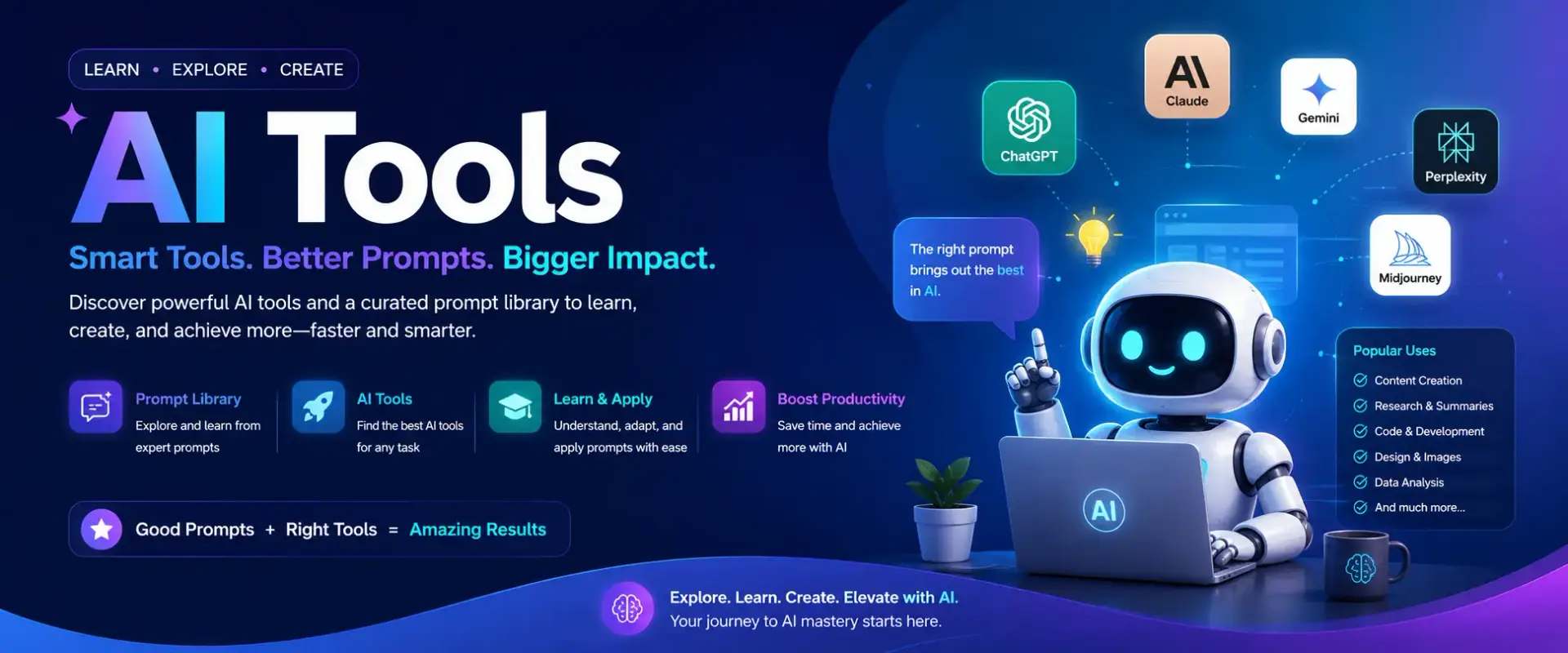
AI Tools & Prompts

Learn AI
Guides, tutorials and learning resources.
AI Tools
Explore the best AI tools for every need.

Prompts
Find and copy powerful AI Prompts.
What is AI?
AI (Artificial Intelligence) is technology that enables computers and machines to learn, understand information, solve problems, make decisions, and perform tasks that normally require human intelligence.
For example, AI can:
- Understand and generate human language
- Recognize faces, objects, and images
- Translate languages
- Answer questions
- Recommend movies, music, or products
- Drive or assist vehicles
- Analyze large amounts of data
- Help create text, images, audio, and video
ChatGPT is an example of AI.
Advantages of AI
- Saves time
AI can complete repetitive tasks much faster than humans. - Improves productivity
It can help people write documents, analyze data, plan work, and automate routine processes. - Works 24/7
AI systems can operate continuously without needing breaks. - Handles large amounts of data
AI can analyze huge datasets and identify patterns that would be difficult for humans to find. - Reduces human error
In suitable tasks, AI can improve consistency and accuracy. - Helps in education
AI can explain difficult topics, create practice questions, summarize lessons, and provide personalized learning support. - Helps in healthcare
AI can assist doctors with medical-image analysis, research, and identifying patterns in patient data. - Improves business operations
Businesses can use AI for customer support, forecasting, marketing, fraud detection, and automation. - Supports creativity
AI can help create ideas, stories, presentations, images, music, and other content. - Makes technology more accessible
AI can provide translation, speech-to-text, text-to-speech, and other tools that help people communicate and work.
In simple words
AI = Making machines capable of performing tasks that normally require human intelligence.
AI Tools
AI tools are software applications that use Artificial Intelligence to help people complete tasks faster, smarter, and more creatively.
What Are AI Tools?
| AI Tool Type | What It Can Do |
|---|---|
| Chatbots | Answer questions, write content, explain topics, and provide ideas. |
| Image Generators | Create images and graphics from text descriptions. |
| Video Editors | Generate, edit, enhance, and customize videos using AI. |
| Coding Assistants | Help write, explain, improve, and debug computer code. |
| Translation Tools | Translate text between different languages quickly. |
| Productivity Tools | Summarize documents, create presentations, organize information, and analyze data. |
What Is an AI Prompt?
A prompt is an instruction, question, or request that you give to an AI tool. A clear and detailed prompt can help the AI understand what you want and provide a more useful response.
| Prompt Type | Example |
|---|---|
| Simple Prompt | “Write a birthday message.” |
| Better Prompt | “Write a warm 100-word birthday message for my mother, thanking her for her support and wishing her good health.” |
Tips for Writing Effective Prompts
Clearly explain what you want the AI to do.
Give relevant information so the AI understands your situation.
Tell the AI whether you want a list, table, email, essay, or another format.
Specify whether you want a formal, friendly, professional, or humorous response.
Include requirements such as word count, audience, or specific information.
Practical Prompt Example
Write an email
“Write a professional email to my manager requesting two days of leave due to a family event. Keep it polite and under 150 words.”
Applications powered by Artificial Intelligence that help you complete tasks faster and more effectively.
Instructions or questions given to AI tools to get the desired result.

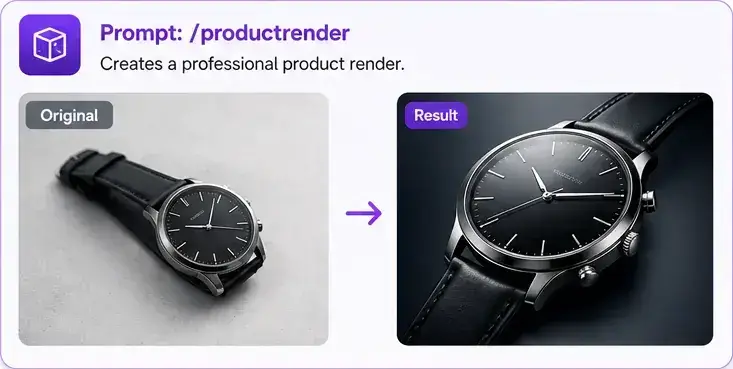
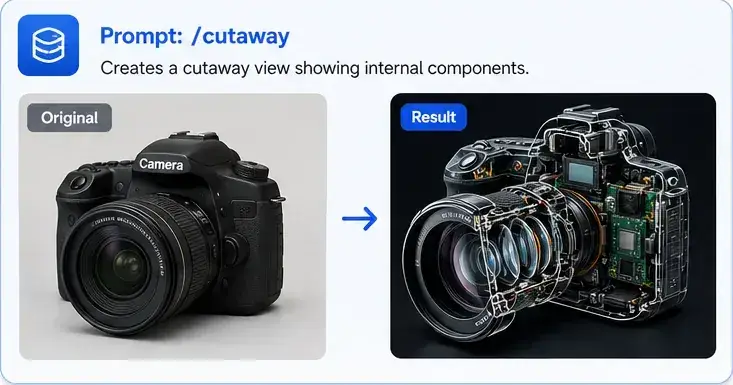
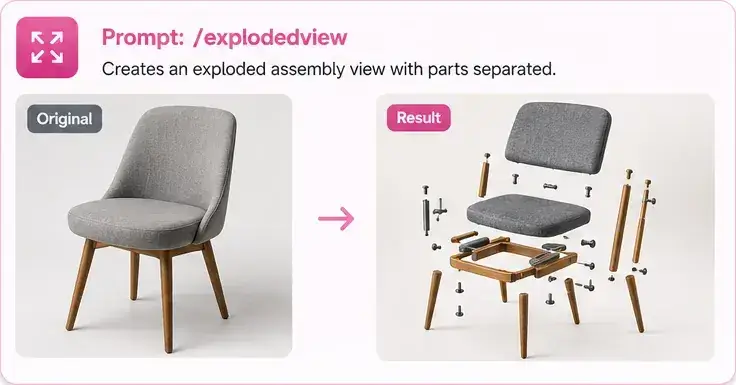
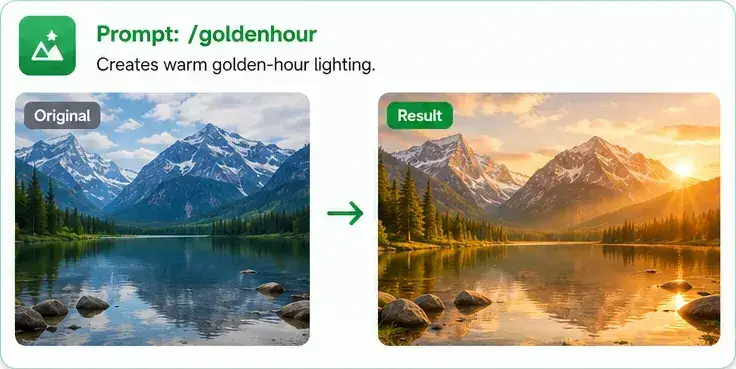
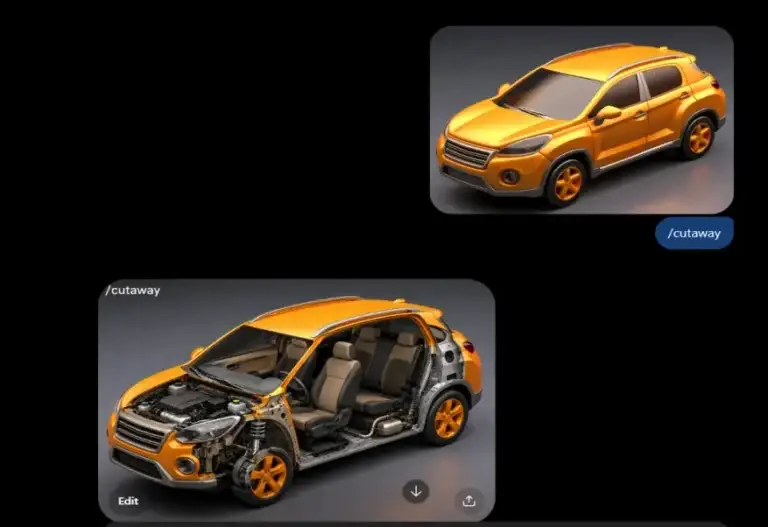
Steps to Create an Existing Image Result with This Prompt
Follow these simple steps to transform an existing image using the /cutaway prompt:
1. Open the ChatGPT window and start a new conversation.
2. Upload or select the image you want to transform, then enter the prompt:
3. Enter Prompt “/cutaway”, click the Send Prompt button in ChatGPT to submit the image and prompt.
4. Get Your Result: ChatGPT will process the image and generate a cutaway-style result, revealing the object’s internal components while preserving its overall appearance.
✨ That’s it! In just a few simple steps, you can transform an existing image into a detailed visualization like the example above.
Prompt Learning Library
Explore, learn and apply image-generation prompts when you need them.
No prompts found
Try another keyword or select a different category.
Top AI Tools for Creators, Students & Business
Discover powerful AI tools for YouTube, education, business, content creation, research, design and productivity.
Option A — AI for YouTubers
Create scripts, voices, videos, thumbnails and engaging content.
| S.No | Tool Name | Main Usage | Free? | Action |
|---|---|---|---|---|
| 01 |
E
ElevenLabs
|
AI voiceovers, narration, voice cloning, dubbing and audio creation. | ✓ Free Plan | |
| 02 |
C
Canva
|
Thumbnails, channel graphics, presentations, social posts and AI design. | ✓ Free Plan | |
| 03 |
D
Descript
|
AI video editing, transcription, podcast production and screen recording. | ✓ Free Plan | |
| 04 |
V
AI Video Tools
|
Generate videos, scenes, animations and short-form video content with AI. | ✓ Many Free Plans | |
| 05 |
T
AI Thumbnail Tools
|
Create attention-grabbing YouTube thumbnails, images and visual concepts. | ✓ Many Free Plans | |
| 06 |
AI
ChatGPT / Claude
|
Video scripts, ideas, titles, descriptions, research and content planning. | ✓ Free Plans |
Option B — AI for Students
Study smarter with AI-powered learning, research and writing.
| S.No | Tool Name | Main Usage | Free? | Action |
|---|---|---|---|---|
| 01 |
AI
ChatGPT
|
Learning, explanations, brainstorming, writing, coding and research assistance. | ✓ Free Plan | |
| 02 |
G
Gemini
|
AI assistance, research, writing, brainstorming and multimodal learning. | ✓ Free Plan | |
| 03 |
P
Perplexity
|
AI-powered web research, answers, source discovery and fact checking. | ✓ Free Plan | |
| 04 |
G
Grammarly
|
Grammar correction, rewriting, tone improvement and writing assistance. | ✓ Free Plan | |
| 05 |
N
AI Note-Taking / Research
|
Summarize lectures, organize notes, research documents and create study material. | ✓ Many Free Plans |
Option C — AI for Small Businesses
Save time with AI for marketing, communication and automation.
| S.No | Tool Name | Main Usage | Free? | Action |
|---|---|---|---|---|
| 01 |
AI
ChatGPT
|
Business writing, customer support ideas, analysis, planning and automation. | ✓ Free Plan | |
| 02 |
C
Claude
|
Business writing, document analysis, coding, research and strategic thinking. | ✓ Free Plan | |
| 03 |
C
Canva
|
Marketing graphics, presentations, advertisements, social media and branding. | ✓ Free Plan | |
| 04 |
G
Grammarly
|
Professional emails, proposals, documents, rewriting and communication. | ✓ Free Plan | |
| 05 |
J
Jasper
|
AI marketing content, campaigns, brand messaging and business copywriting. | Paid / Trial | |
| 06 |
⚙
AI Automation Tools
|
Automate repetitive business tasks, workflows, lead handling and integrations. | ✓ Many Free Plans |
Option D — AI Tools for Content Creators
Design, voice, video, images and writing — all powered by AI.
| S.No | Tool Name | Main Usage | Free? | Action |
|---|---|---|---|---|
| 01 |
C
Canva
|
AI-powered graphic design, social content, presentations and visual branding. | ✓ Free Plan | |
| 02 |
E
ElevenLabs
|
AI narration, voiceovers, voice cloning, dubbing and creator audio. | ✓ Free Plan | |
| 03 |
D
Descript
|
Video editing, podcasts, transcription and content production. | ✓ Free Plan | |
| 04 |
M
Midjourney
|
High-quality AI image generation, creative artwork and visual concepts. | Paid | |
| 05 |
V
AI Video Generators
|
Generate videos, cinematic scenes, animations and social media clips. | ✓ Many Free Plans | |
| 06 |
W
AI Writing Tools
|
Blog posts, scripts, captions, marketing copy, ideas and content rewriting. | ✓ Many Free Plans |